
Custom Software Integration, Defined
Strip away the jargon and it's simple: custom software integration connects two or more systems so they can pass data back and forth, trigger actions in each other, and generally stop requiring a human to be the messenger between them.
Why "custom"? Because it's not something you install from an app store in ten minutes. A Shopify-to-Mailchimp connector you grab off a marketplace isn't custom — thousands of businesses use the exact same one. But say your warehouse system was built in-house and needs to talk to a logistics tool that's also fairly proprietary. No connector exists for that pairing. Somebody has to build it from scratch. That's custom integration.
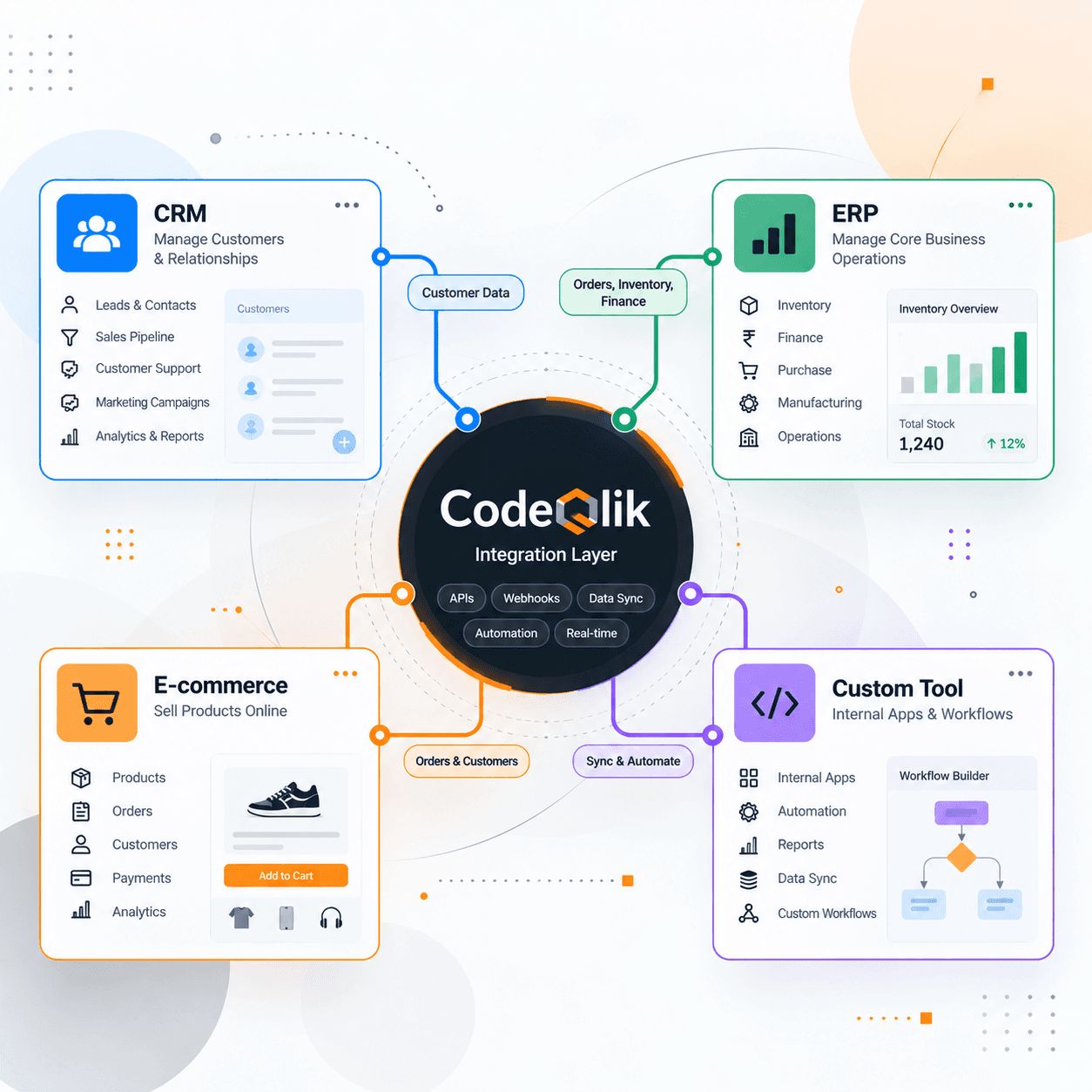
And it matters more than most people assume, because almost no business actually runs on one piece of software. A mid-sized company is usually juggling a CRM, an ERP, a help desk tool, maybe an e-commerce platform, plus a couple of internal apps that only two people in IT could even name. Leave them disconnected and each one turns into its own little island. Somebody, somewhere, ends up reconciling all of it by hand — often in a spreadsheet, often late on a Friday.
Why Businesses Need It
A handful of situations tend to push companies toward building something custom instead of settling for a generic connector or another spreadsheet:
- Popular apps get pre-built integrations handed to them. Niche or internal tools almost never do, so nothing off-the-shelf will cover you.
- A generic connector syncs the basics — name, email, maybe a status field. It has no idea about your approval chain, your pricing rules, or how you handle regional tax. That logic has to be built, not bought.
- Someone's re-typing the same order into three different systems every single day. That's not just annoying, it's where real errors creep in.
- What worked fine with two locations and one sales channel tends to fall apart around location ten and channel four.
- And sometimes it's simply compliance — auditors want a clean, traceable flow of data, not a folder of manually exported CSVs.
Types of Custom Software Integration
There isn't just one way to do this. Here's roughly what the main approaches look like, and where each one tends to fit.
Point-to-Point Integration
One system talks directly to another through its API. Quick to build, easy to reason about, fine if you've only got a couple of connections. The catch is it doesn't scale gracefully. Hook up five systems this way and you're suddenly maintaining something like ten separate pipes, each one its own point of failure.
Middleware-Based Integration
Instead of wiring everything directly together, a middleware layer (or an iPaaS platform) sits in the middle and handles the routing and translation for you. Takes more work to set up at first. Pays for itself later, especially once you're adding a fourth or fifth system and don't want to rebuild logic from scratch each time.
Data-Level Integration
Here systems share data through a common database, a data warehouse, or scheduled batch exports and imports. Nothing fancy, nothing real-time — which is exactly right for reporting and analytics, where nobody needs numbers updated to the second.
API-Led or Event-Driven Integration
Systems talk through APIs in real time, or one system fires off an event — "order placed," "invoice paid" — and others react to it immediately. Most modern, responsive integrations run on this pattern. It's the difference between your CRM finding out an invoice was paid overnight versus finding out two seconds after it happened.
How Custom Software Integration Actually Works
No matter which systems are involved, the process tends to follow roughly the same shape.
First, you map out what actually needs to connect — which systems, which specific fields, which direction the data should flow. Then comes a question people skip more often than they should: if a customer's address gets edited in two places, which one wins? Somebody has to decide that before launch, not during a support ticket six weeks later.
From there you pick the technical approach — point-to-point, middleware, event-driven, whatever fits the number of systems and how real-time things need to be — and build the actual connection with error handling baked in from day one. APIs go down. Networks drop packets. A good integration expects that and recovers instead of just losing data silently.
Testing matters more than people think, and testing with ten sample records tells you almost nothing — performance problems rarely show up until you're at real scale. And once it's live, the work isn't over. Systems update, APIs change shape, and something will eventually need a fix. Treating an integration as "done" after launch is usually how it quietly breaks later.
Benefits of Custom Software Integration
What do you actually get for the effort? A few things, mostly.
Nobody's typing the same order into three systems anymore, which is honestly where most small, compounding errors start. Processes that used to need a person acting as the go-between for two tools just happen on their own now. There's one agreed version of a record floating around instead of three slightly different ones. Reports pull from live data instead of whatever someone exported last Tuesday afternoon. And maybe most importantly, it scales — manual processes just don't. They get slower and messier the moment headcount or transaction volume climbs.
Custom Integration vs. Off-the-Shelf Connectors
Worth being honest here: custom integration is sometimes overkill, and it's fine to admit that. If two mainstream tools already have a solid native connector or a Zapier-style integration that covers what you need, building your own from scratch is just burning budget for no reason. Save the custom route for when the systems are niche, internally built, or when a standard connector genuinely can't handle your business rules — not because "custom" sounds like the more impressive option in a meeting.
Common Mistakes to Avoid
A few things come up again and again on projects that go sideways.
People skip the data mapping step because the fields "obviously" match between two systems — they usually don't, and you find out the hard way, mid-project, when something doesn't reconcile. Teams build without error handling, so one failed API call quietly drops data instead of retrying or raising a flag. Nobody owns the integration after launch, so when it breaks six months later, there's an awkward scramble to figure out who even built it. Some teams try to connect everything on day one instead of proving the approach works on a single process first. And access control gets treated as an afterthought — the integration ends up with far more permissions than the task actually needs, just "to be safe."
A Quick Example
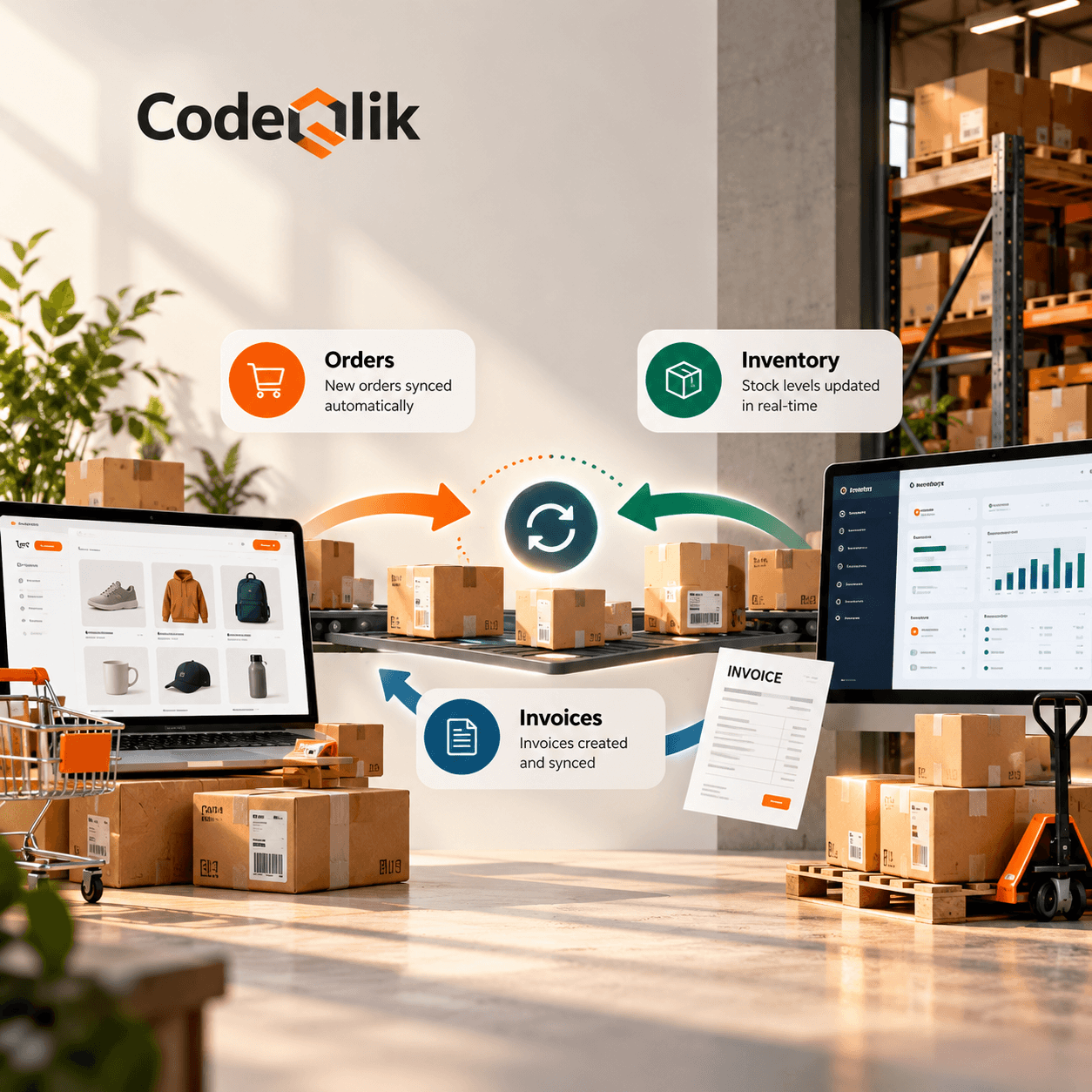
A regional distributor was running orders through an e-commerce platform, inventory through a warehouse system they'd built in-house, and invoicing through a separate accounting tool. Three systems, zero native way to connect them. Staff were manually checking stock before confirming every order, then creating invoices by hand afterward.
So they built a middleware layer. It pulled new orders off the e-commerce platform, checked and reserved stock in the warehouse system in real time, then pushed confirmed orders straight into accounting for invoicing. Processing time per order fell from about 20 minutes to under two. Invoicing errors, which used to happen nearly every week, basically disappeared.
What It Typically Costs
Costs swing a lot depending on how many systems are involved and how messy the business logic gets, but here's a rough sense of scale for planning purposes.
A simple point-to-point job connecting one or two systems with basic data sync is usually the smallest lift — often wrapped up in a few weeks. Middleware-based integration across multiple systems costs more upfront, but pays that back over time through lower maintenance per connection as you add more apps. An enterprise-wide integration strategy, touching many systems with complex rules and compliance needs, is a different scale entirely — a multi-month effort, almost always rolled out in phases rather than one big bang.
Don't forget to budget for what comes after launch, either. Monitoring, patching things when a vendor changes their API, the occasional fire drill — none of that is a one-time cost.
About the Author: Our systems integration team works with IT and operations leaders to connect custom software with the CRMs, ERPs, and internal tools that already run their business. We focus on practical, maintainable integration strategies rather than one-off fixes that break at the next system update.


Loading comments...