
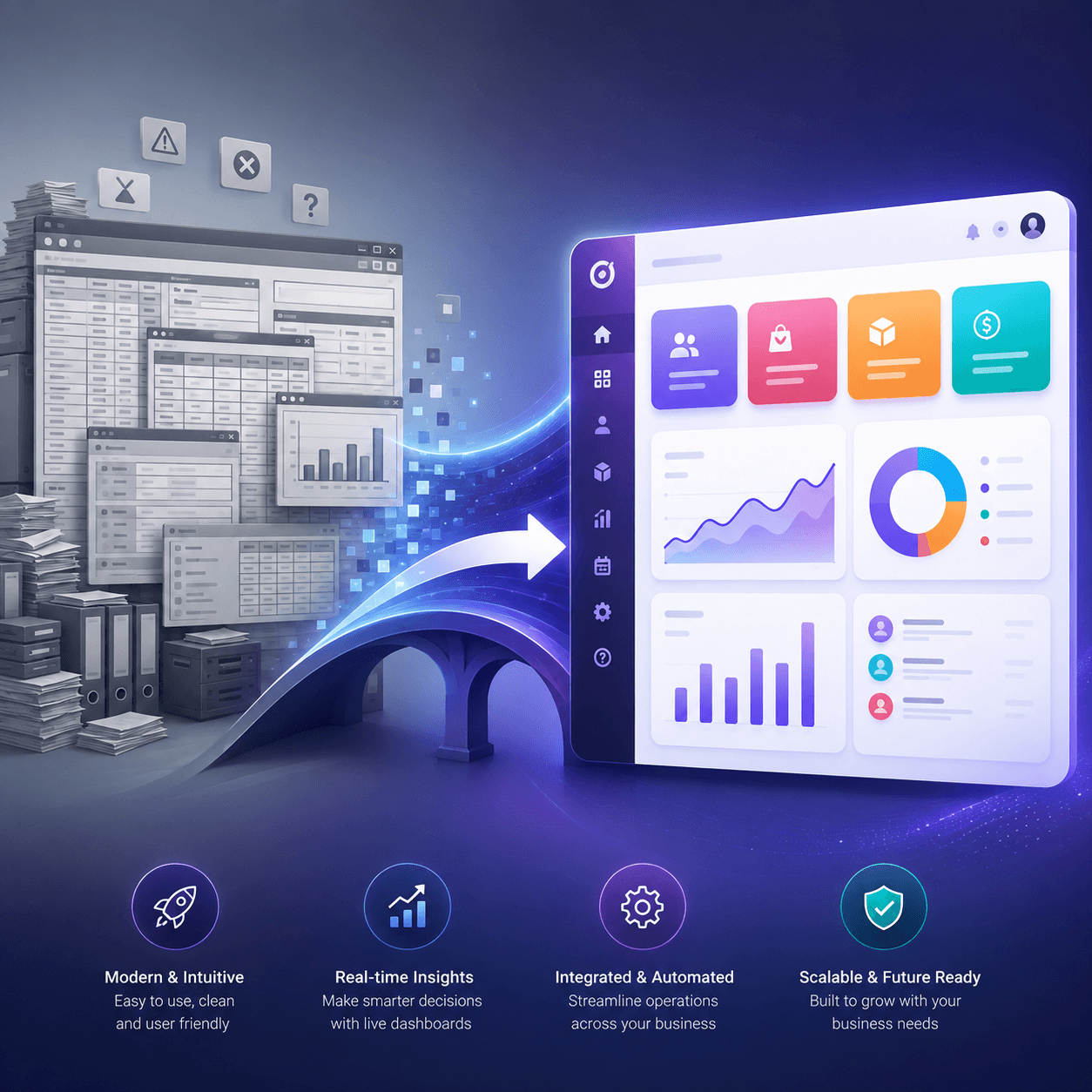
Why Migrate to Odoo?
Businesses typically consider an Odoo ERP migration for one or more of these reasons:
- Cost control. Odoo's pricing model (especially the Community edition and modular Enterprise apps) is usually far more predictable than legacy per-seat or per-module licensing.
- Modularity. You only deploy the apps you need—CRM, inventory, accounting, manufacturing, HR—and scale up as the business grows, rather than paying for a bloated all-in-one suite.
- Better process automation. Odoo's built-in business process automation (approval flows, reordering rules, automated invoicing) reduces manual work that legacy systems often can't handle without custom code.
- Modern UX. Employees adopt Odoo faster because the interface is intuitive compared to older, form-heavy legacy ERP screens.
- Active development. Odoo ships a new major version annually, meaning the platform doesn't stagnate the way many legacy systems have.
- Integration flexibility. Native APIs and a large app marketplace make it easier to connect Odoo to e-commerce platforms, shipping carriers, and payment gateways.
None of this means Odoo is a universal fit—but for businesses outgrowing entry-level accounting software or stuck on an inflexible legacy platform, it's one of the most cost-effective upgrade paths available.
(Internal link suggestion: "Odoo vs. NetSuite: Which ERP Is Right for Your Business?")
Key Considerations Before Migration
Before you touch any data, get clarity on the following:
- Scope your modules. Are you migrating finance only, or the full operational stack (inventory, manufacturing, HR, CRM)? Scope creep is the single biggest cause of budget overruns.
- Audit your current data quality. Legacy systems accumulate duplicate records, outdated SKUs, and inconsistent customer data over years. Migration is the moment to clean it up—not after.
- Map your business processes, not just your data. A migration is also a chance to re-evaluate workflows that were built around your old system's limitations rather than best practice.
- Decide: Community or Enterprise edition. Community is free and self-hosted; Enterprise adds official support, advanced features (like advanced reporting and manufacturing), and cloud hosting options.
- Identify integration dependencies. List every third-party tool connected to your current ERP (e-commerce, POS, shipping, payroll) so nothing breaks on cutover day.
- Set a realistic go-live window. Migrating during your slowest business season significantly reduces operational risk.
Step-by-Step Odoo Migration Process
A well-run migration generally follows these phases:
1. Discovery & Requirements Gathering Document current workflows, pain points, and must-have features. Interview department heads—not just IT—since operational gaps are often invisible to a single team.
2. Data Audit & Cleansing Export data from the legacy ERP and clean it before mapping. Remove duplicates, standardize formats (dates, currencies, units of measure), and archive obsolete records.
3. Data Mapping Map legacy fields to their Odoo equivalents. This is where most technical friction occurs—legacy systems rarely structure data the way Odoo expects, especially for chart of accounts, product variants, and customer hierarchies.
4. System Configuration Set up Odoo modules, user roles, approval workflows, taxes, and localization settings before importing data.
5. Data Migration (Test Environment) Import data into a Odoo staging environment first—never migrate directly into production. Use Odoo's import tools or ETL scripts for large datasets.
6. Integration Setup Connect Odoo to existing tools (Shopify, Amazon, payment processors, shipping carriers) via native connectors or the Odoo API.
7. User Acceptance Testing (UAT) Have real users run real transactions in the staging environment—invoicing, purchase orders, stock moves—to catch issues before go-live.
8. Training Role-based training sessions, not generic walkthroughs, drive faster adoption and fewer support tickets post-launch.
9. Go-Live & Cutover Migrate final data, freeze the legacy system, and go live—ideally with a parallel run period where both systems are reconciled for a few days.
10. Post-Migration Support Monitor performance, fix edge-case bugs, and gather user feedback for a few weeks after launch.
(Internal link suggestion: "Odoo Implementation Timeline: What to Expect at Each Stage")
Common Migration Challenges and Solutions
Dirty or duplicate data
- Why it happens: Years of manual entry in the legacy ERP
- Solution: Run a data cleansing pass before mapping, using deduplication tools
Incompatible data structures
- Why it happens: Legacy ERP organizes fields differently than Odoo
- Solution: Build a detailed field-mapping document with your migration partner before import
Custom workflows don't translate
- Why it happens: Legacy system had heavy customization
- Solution: Re-evaluate whether the workflow is still necessary, or replicate it via Odoo Studio/custom modules
Downtime during cutover
- Why it happens: Migrating a live production system
- Solution: Schedule go-live during low-activity periods; use a parallel-run approach
User resistance
- Why it happens: Staff comfortable with the old system
- Solution: Involve end users early; provide role-specific training, not generic demos
Integration failures
- Why it happens: Third-party tools not accounted for early
- Solution: Inventory all integrations during the discovery phase, not after
Underestimated data volume
- Why it happens: Large historical datasets (years of transactions)
- Solution: Decide upfront how much historical data actually needs to migrate vs. archive
Odoo Data Migration Checklist
Use this as a working checklist with your internal team or migration partner:
- Full inventory of data sources (ERP, spreadsheets, POS, e-commerce)
- Data cleansing completed (duplicates, formatting, obsolete records removed)
- Chart of accounts mapped to Odoo's structure
- Customer and vendor records mapped and validated
- Product catalog, variants, and pricing mapped
- Open transactions (invoices, POs, sales orders) identified for migration
- Historical data retention policy defined (what migrates vs. archives)
- Third-party integrations mapped and tested
- User roles and permissions configured
- Staging environment tested with sample data
- UAT sign-off from each department
- Training completed for all user groups
- Parallel run / reconciliation plan in place
- Rollback plan defined in case of critical failure
- Post-go-live support window scheduled
How Long Does an Odoo Migration Take?
Timelines vary significantly based on scope and data complexity:
- Small business, single module (e.g., accounting only): 4–8 weeks
- Mid-size business, multi-module (sales, inventory, accounting): 8–16 weeks
- Complex migration (manufacturing, multi-warehouse, heavy customization): 4–9 months
Factors that extend timelines: large historical datasets, heavy legacy customization, multiple integrations, and multi-entity/multi-currency setups. Rushing data cleansing or UAT to hit a deadline is the most common reason migrations run over budget after go-live.
Odoo Migration Costs: What to Expect
Costs depend on scope, data volume, and whether you self-host or use Odoo Enterprise. Rough ranges:
- Basic single-module migration (small business): $3,000–$10,000
- Multi-module migration (mid-size business): $10,000–$40,000
- Complex/enterprise migration with custom integrations: $40,000–$100,000+
- Odoo Enterprise licensing (per user/month): Varies by app selection
- Ongoing support/maintenance: 10–20% of implementation cost annually
Beyond the migration partner's fee, budget for internal time—your team's hours spent on data cleansing, testing, and training are a real cost even if no invoice is attached to them.
(Internal link suggestion: "Odoo Pricing Explained: Community vs. Enterprise")
Choosing the Right Odoo Migration Partner
Not all Odoo migration services are equal. When evaluating partners, look for:
- Odoo-certified partner status, not just general ERP consultants who "also do Odoo."
- Industry-specific experience—manufacturing, retail, and services all stress different Odoo modules.
- A documented data migration methodology, not an ad hoc "export and import" approach.
- Transparent pricing—fixed-scope quotes with clearly defined change-order processes for scope creep.
- Post-launch support terms—confirm what's included after go-live and for how long.
- References from similarly sized businesses, ideally in your industry.
Ask any prospective partner to walk you through how they handle data mapping and rollback planning specifically—vague answers here are a red flag.
Conclusion
Switching from a legacy ERP to Odoo is a significant undertaking, but it's also one of the highest-leverage operational investments a growing business can make—lower licensing costs, better automation, and a system that scales with you instead of against you. The businesses that migrate successfully are the ones that treat data quality, process mapping, and user training as seriously as the technical cutover itself.
If you're evaluating an ERP switch, start with a data audit and a clear scope before you talk pricing with any migration partner. That single step prevents most of the budget and timeline surprises covered above.
Ready to plan your Odoo migration? Reach out for a free migration assessment to get a realistic timeline and cost estimate based on your current systems and data.


Loading comments...