
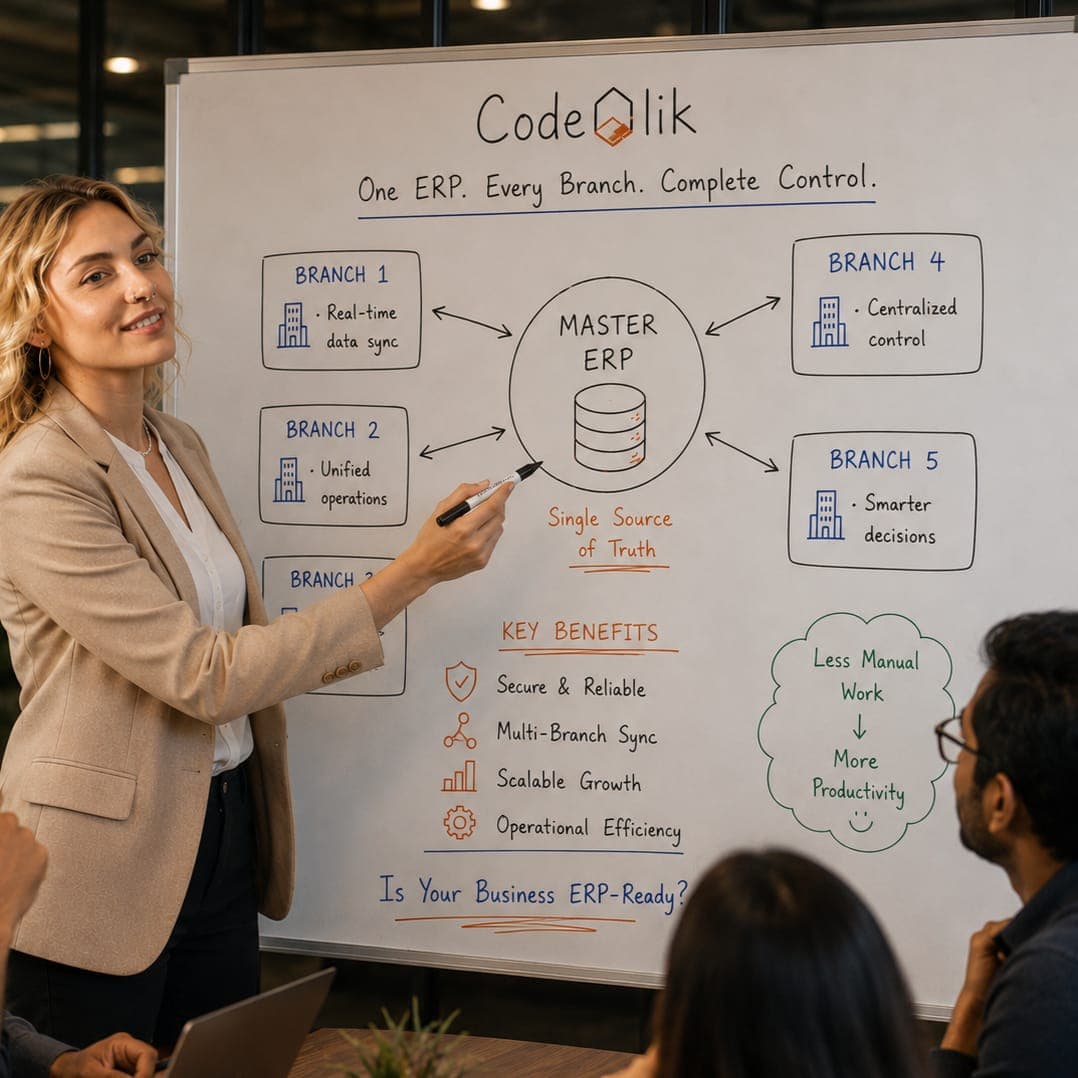
What "Duplicate Data" Actually Means in a Multi-Branch ERP
Before fixing the problem, it helps to define it precisely. In a multi-branch ERP, duplicate data generally falls into a few buckets:
- Master data duplicates — the same customer, vendor, or item created more than once, often with minor spelling variations ("Acme Corp" vs. "ACME Corporation").
- Transactional duplicates — the same invoice, purchase order, or journal entry recorded twice, usually due to integration retries or manual re-entry.
- Ledger duplicates — intercompany or inter-branch transactions posted on both sides without proper elimination, inflating consolidated totals.
- Reference data drift — each branch maintaining its own version of tax codes, currency rates, or chart of accounts segments, which technically aren't "duplicates" but function like them because they can't be reconciled cleanly.
Think of it like a company with five regional offices, each keeping its own paper Rolodex. Even if every card is accurate, nobody at headquarters can tell you how many unique clients the company actually has. That's the core risk in multi-branch ERP: not that data is wrong, but that it's fragmented and unreconciled.
How Modern ERP Architectures Address Duplication Risk
The architecture underneath your ERP determines how naturally duplication is avoided — or how hard you'll have to work to prevent it.
Centralized Data Stores
In a centralized model, all branches operate against a single database instance. There's one customer table, one item master, one chart of accounts. This is the cleanest approach for data integrity because there's structurally nowhere for a duplicate to hide — every branch is querying and writing to the same source of truth.
The tradeoff is performance and connectivity dependency. Branches in regions with unreliable internet can struggle if the ERP requires constant round-trips to a central server.
Decentralized or Distributed Models
Some organizations — particularly those with regional regulatory requirements or high transaction volumes — deploy regional instances or hubs. Each hub serves a cluster of branches, and data synchronizes back to a central repository on a schedule or via event-driven replication.
This model can scale well, but it introduces a critical dependency: data synchronization has to be reliable, timely, and conflict-aware. If two branches create a similar customer record before the sync cycle runs, you get exactly the duplication problem you were trying to avoid.
Data Replication and Conflict Resolution
Well-designed replication engines don't just copy records — they apply matching logic before committing new entries. A mature ERP will check incoming records against existing ones using fuzzy matching (on tax ID, phone number, or address) rather than exact-string matching alone, catching "Acme Corp" and "ACME Corporation" as likely the same entity before either becomes a permanent duplicate.
The takeaway: architecture doesn't eliminate duplication risk on its own. It sets the conditions. What actually prevents duplicates is the governance layer sitting on top.
Master Data Management and Governance as the Real Safeguard
This is where most organizations either succeed or quietly accumulate years of data debt.
Master Data Management (MDM) is the discipline of defining, one time, what a "customer," "vendor," "item," or "GL account" is — and enforcing that definition everywhere the ERP touches it. A strong MDM approach typically includes:
- A single golden record per entity, with a clear "system of record" designation
- Defined ownership — someone at HQ or in a shared services function owns master data quality, not each branch independently
- Standardized naming conventions and required fields at creation
- Periodic data audits and merge/purge cycles
Data governance is the broader policy framework: who can create a new customer or vendor record, what approval workflow they go through, and how exceptions are handled. Without governance, even a perfectly centralized database will fill up with near-duplicates, because nothing stops a branch admin from clicking "New Customer" instead of searching first.
A useful mental model: MDM is the rulebook, governance is the referee. You need both.
Techniques That Actually Prevent Duplicates
Beyond architecture and policy, several concrete technical controls do the heavy lifting:
- Unique keys and matching logic. Enforce uniqueness on tax ID, registration number, or a combination of fields — not just record name — so the system itself blocks obvious duplicates at the database level.
- Validation rules at entry. Require fields like tax ID or DUNS number before a record saves, and run real-time duplicate checks (fuzzy match on name, address, phone) before allowing creation.
- Workflow-based create/update. Route new master data requests through an approval step rather than allowing direct creation. A branch clerk submits a request; a data steward approves, merges, or rejects it.
- Deduplication processes. Schedule regular automated scans that flag likely duplicates for review, plus a documented merge process that preserves transaction history when two records are consolidated.
- Configuration vs. customization discipline. Use the ERP's built-in multi-branch and intercompany features (configuration) rather than building custom bolt-ons for basic branch separation. Heavy customization tends to break out-of-the-box deduplication and validation logic during upgrades.
Common Pitfalls in Multi-Branch Rollouts
Even well-intentioned implementations run into predictable trouble:
- Rushed go-lives that skip data cleansing. Migrating messy legacy data as-is guarantees duplicates on day one.
- Branch autonomy without oversight. Letting each location manage its own master data "because they know their customers best" is the single biggest driver of duplication.
- Inconsistent numbering or coding schemes. If Branch A and Branch B use different item-numbering logic, the system can't reliably detect overlap.
- Ignoring intercompany elimination rules, which leads to inflated consolidated revenue or expenses — a serious ledger integrity issue during audits.
- Treating deduplication as a one-time project rather than an ongoing operational discipline.
Mitigation is mostly about sequencing: cleanse and standardize data before go-live, centralize ownership of master data, and build deduplication checks into daily operations rather than an annual cleanup sprint.
A Realistic Example: Meridian Retail Group
Consider Meridian Retail Group (a composite, illustrative example), a mid-sized retailer expanding from 6 to 22 branches over three years. Early on, each new branch manager was given rights to create vendors and items locally to move faster. Within 18 months, the item master had roughly 3,400 duplicate entries, and month-end reconciliation was taking two extra days per cycle.
The fix wasn't a system replacement — it was governance. Meridian centralized vendor and item creation through a shared services team, implemented mandatory duplicate-check validation before any new record saved, and ran a one-time deduplication project using tax ID and SKU matching to merge existing records. Within two quarters, duplicate creation dropped to near zero and close time returned to baseline. The ERP hadn't changed; the discipline around it had.
Implementation Checklist and Success Metrics
Checklist:
Before go-live
- Define golden-record standards for each master data type
- Standardize numbering/coding schemes across branches
- Cleanse and deduplicate legacy data pre-migration
- Document intercompany elimination and consolidation rules
System setup
- Configure unique-key constraints and duplicate-check validation
- Route master data creation through approval workflows
- Assign data stewardship ownership (centralized or shared services)
Ongoing operations
- Schedule recurring automated deduplication scans
- Train branch users on "search first, create second" habits
Metrics to track:
- Duplicate record rate (duplicates found per 1,000 master records)
- Time to close per period (as a proxy for reconciliation friction)
- Percentage of master data created via approved workflow vs. direct entry
- Number of merge/purge actions per quarter (should trend downward)
- Audit findings related to ledger or consolidation discrepancies
Conclusion
So, can an ERP system handle multiple branches without creating duplicate data? Yes — but the system is only ever half the answer. The other half is discipline: the architecture you choose, the master data rules you enforce, and the governance that decides who gets to create a record in the first place. Skip any one of those, and duplication creeps back in no matter how good the software is. Get all three right, and multi-branch operations stop being a data risk and start being what they should be — a genuine scaling advantage.
Meridian Retail Group didn't need a new ERP. It needed a better process wrapped around the one it already had. That's true for most organizations wrestling with this problem, and it's usually a faster, cheaper fix than a re-implementation.
Not sure where your own setup stands? Download our free whitepaper on multi-branch ERP data architecture for a deeper technical walkthrough, or reach out to schedule a no-obligation ERP readiness assessment — we'll help you pinpoint exactly where duplication risk is hiding in your current branch structure.




Loading comments...