
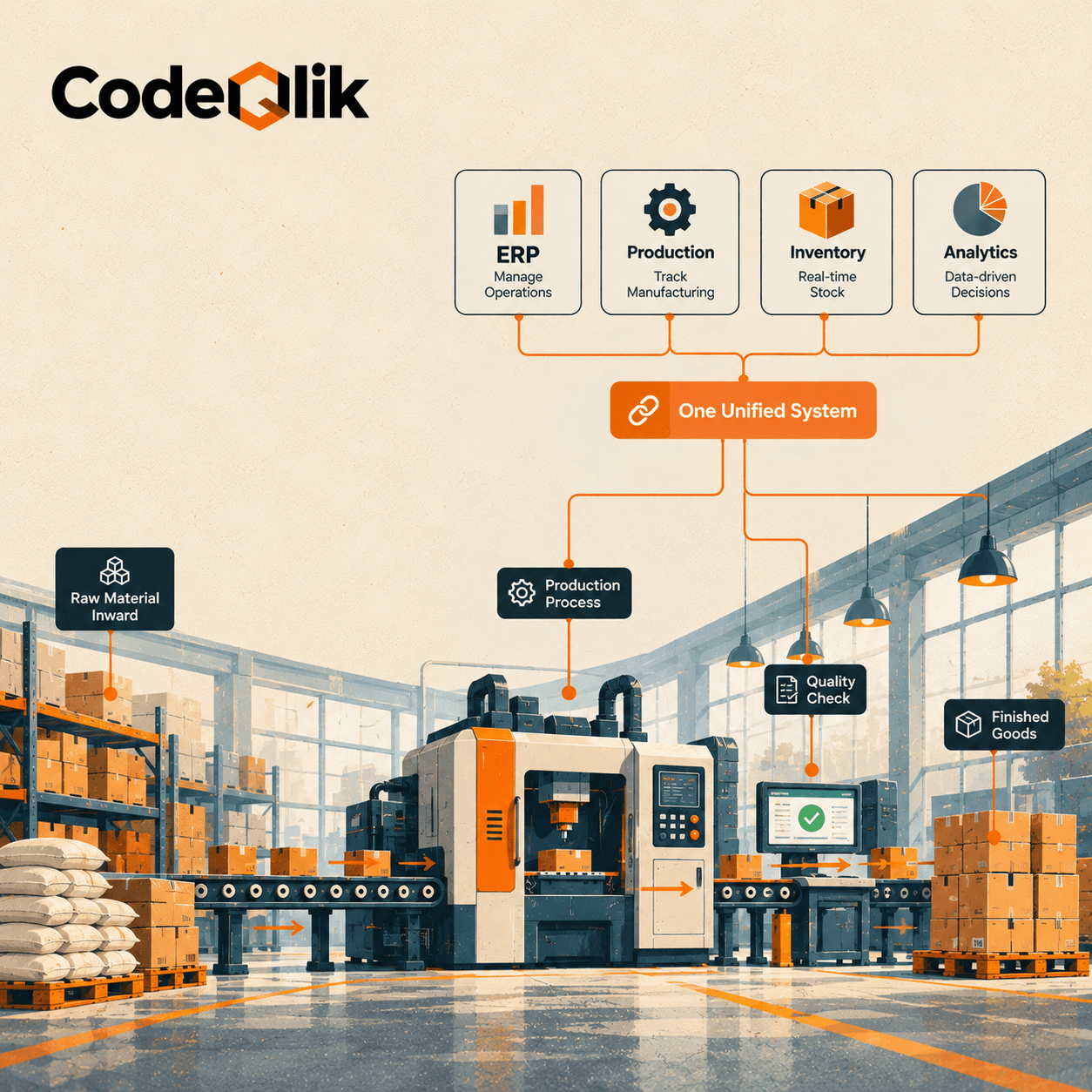
Why manufacturing ERP isn't just regular ERP
A normal ERP handles money, people and sales orders. Fine. Ask it how your product gets built and it goes quiet.
Manufacturing is messy in ways accounting software never sees. One finished unit might need forty parts. Three of those come from a supplier who's late half the time. Your CNC machine is booked until Thursday, and somebody just changed the drawing. A manufacturing ERP is built for that mess. It tracks bills of materials (the full recipe), routings (the steps and machines a job passes through) and work orders (the "go build this" instruction).
You'll also hear "MRP" thrown around, usually as if it means the same thing. It doesn't. MRP, material requirements planning, answers one question: what do we buy or make, and when? ERP answers that too, then goes further, paying suppliers, invoicing customers, and showing what's left on the shelf. If planning is your only pain, a small MRP tool can be enough. In my experience of how these projects are described by people who've been through them, it rarely stays that tidy.
The features I'd actually care about
Every demo opens with a dashboard. Pretty, sure. Nobody keeps a system because of a dashboard.
Start with the bill of materials. Engineers should change it in the system, not in an email called "BOM_final_v7." It needs to handle multiple levels and swap in an alternate when a part is backordered. Scheduling comes next, and here's my rule: if the plan assumes your press runs 24 hours a day, throw it out. Good MRP respects real machine and labor limits.
Inventory? Live, or don't bother. When somebody's still phoning the warehouse to ask what's on the shelf, the software isn't pulling its weight. Same on the shop floor. Operators log jobs, time and scrap as they happen, and supervisors stop hunting for clipboards. Quality and traceability feel optional right up until a customer calls about a bad batch. Then you'd give anything for lot and serial tracking that answers in minutes.
Costing gets less love than it deserves. Actual versus standard cost shows which products really make money, and some owners get a nasty surprise. Add purchasing (reorder points, supplier performance, landed cost) plus open integrations, so the ERP can talk to your CRM, online store or machines without a mountain of custom code.
Hot take: stop counting features. Fifty modules, six used, is just an expensive way to feel prepared. Can your floor crew use it without a manual? That's the test.
Manufacturing ERP software worth a look
No single winner exists. Size, process type and IT support all change the answer. The groups below follow how review sites and implementation partners generally place these products.
Small manufacturers
MRPeasy is made for small shops, roughly up to 200 people. It's simple and production-focused, so teams get going quickly. Odoo is the pick if you want modular, hands-on control at a lower starting price, as long as somebody on staff likes poking around in configuration screens.
Growing mid-sized manufacturers
Acumatica earns steady praise for usability and flexible licensing, and it customizes without drama. Oracle NetSuite is common among fast-growing, cloud-first companies that want finance and operations in one place. Microsoft Dynamics 365 Business Central suits discrete manufacturers already living in Microsoft tools, since the screens feel familiar and CRM can sit next door.
Large, complex or specialized operations
SAP S/4HANA is the heavyweight, built for big global manufacturers that need depth and scale. Epicor Kinetic goes deep on manufacturing functions, especially discrete and specialized industrial work. Infor CloudSuite Industrial (plenty of people still call it SyteLine) is worth a look for industry-specific depth or more complex, process-style production.
One question before you shortlist anything: discrete or process? Discrete plants build countable things like machinery or electronics. Process plants, meaning food, chemicals, pharma, work with formulas, batches and yield, and need tight lot control. If you're process, make vendors show you they've done it in your industry. And if you're small, I'd take a lighter system your team actually opens every morning over an enterprise suite you'll spend years growing into.
What manufacturing ERP software costs
It depends. Annoying answer, true answer. Published prices are a starting line, not a quote.
Review sites commonly put cloud manufacturing ERP at roughly $70 to $200 or more per user per month. Small packages for a handful of users can start in the low five figures, and enterprise platforms like SAP can run well above that per user. A few vendors, Acumatica among them, bill by resource use instead of by seat, which helps when lots of people need access.
The monthly fee isn't what stings, though. Implementation and setup can match or beat the first year of licensing. Data migration drags, because cleaning old item lists and duplicate vendors is slow, boring work. Then you've got integrations with shop floor equipment or an online store, training (skip it and you'll regret it), and support and upgrades after go-live.
A small cloud ERP implementation can finish in a few months. Multi-site rollouts can sail past a year. Whatever number you read here, mine included, get written quotes from two or three vendors using your real user count and processes.
What you get out of it
Calm, mostly. Production, inventory and finance read from the same data, so meetings stop turning into debates about whose spreadsheet is right. Fewer stockouts. Less cash sitting in material that just waits. Sales can promise delivery dates without crossing their fingers, and you finally see true product cost, scrap and rework included.
Audits and recalls get easier too. With proper traceability, a frantic weekend of digging through paperwork becomes a report you run on Monday. And when you open a second plant or add a product line, you aren't rebuilding everything.
Picture a 60-person metal fabrication shop (illustrative, not a named client) quoting jobs from a spreadsheet and tracking orders on a whiteboard. They switch to a cloud ERP. Within months the owner sees real job costs for the first time, the scheduler stops double-booking the press brake, and purchasing buys steel based on demand, not a hunch. Nothing flashy. They just quit losing money between tools.
Picking one without regret
Write down how you really make things first. Make-to-stock, make-to-order, engineer-to-order and process work need different strengths. Then split your wish list into must-haves and nice-to-haves, and be ruthless. Every nice-to-have that becomes a customization costs money and makes upgrades harder. Lean on configuration wherever you can.
In demos, hand over your ugliest bill of materials and your weirdest order. A scripted demo proves almost nothing. Yours proves plenty. Ask how the system connects to everything else, and what works out of the box versus what needs a developer. Then phone a couple of reference customers about your size and ask what went wrong. They'll gladly tell you what went right.
Plan for people early, too. Name an internal owner, book real training time, and clean your data before migration, not after.
Where projects go wrong
Same handful of things, every time. Data cleanup gets underestimated, and it's the one that bites hardest. Departments keep adding wish-list items until the scope has doubled. Somebody picks a system built for a company ten times bigger because the logo looked impressive. And go-live gets treated as the finish line, when the first few months of adjusting decide whether the whole ERP implementation pays off.

Loading comments...